
How this page was reviewed
Written and reviewed by the Postraid editorial team. We compared the linked source page with the provider information and dated tables shown here. This is editorial guidance, not a hands-on product test unless the page explicitly says otherwise. Last updated .
The short version
You do not need a face in every frame. You need a clear idea, visible evidence and a format that lets someone understand the product.
What faceless content actually means
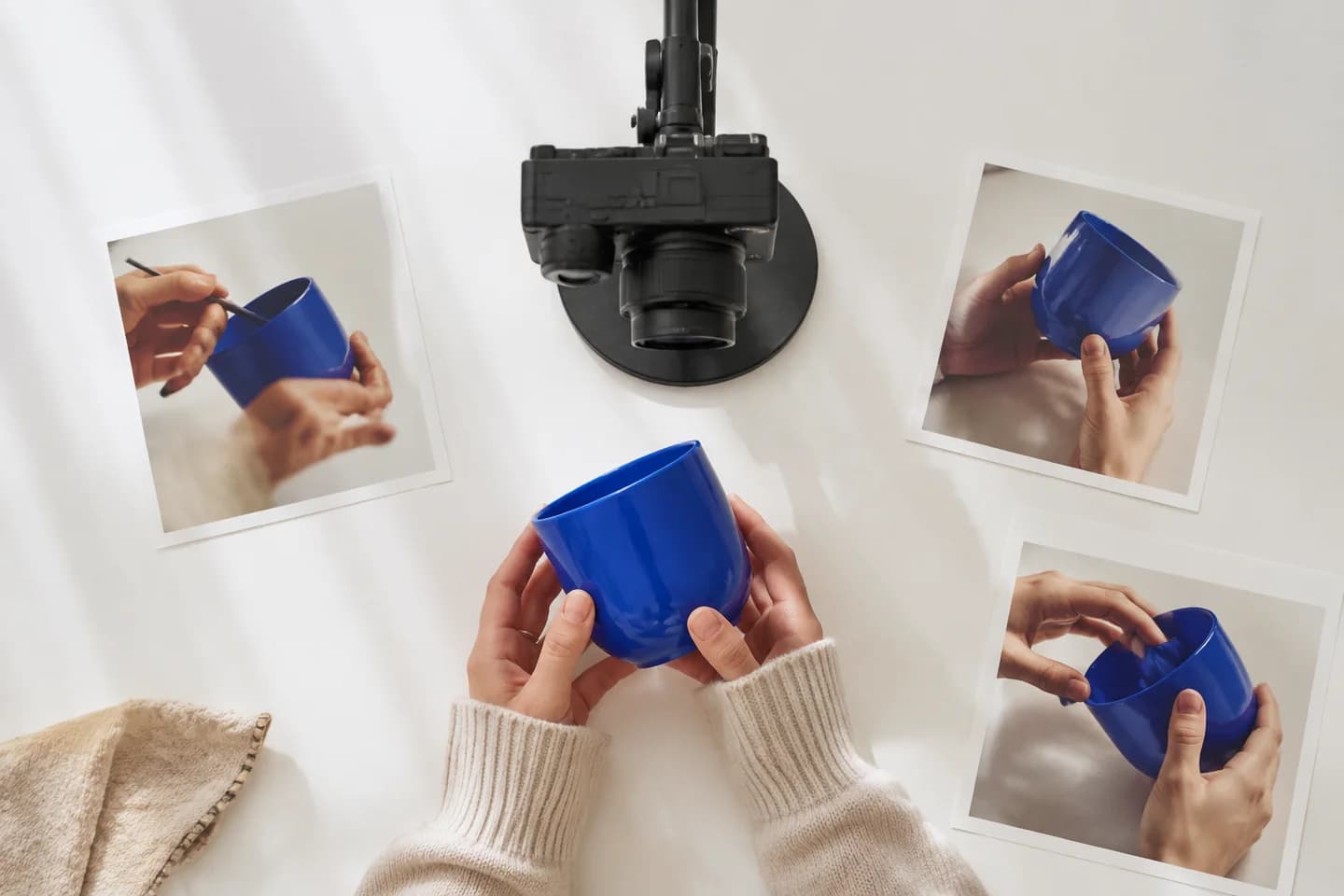
Faceless content explains, demonstrates or illustrates something without requiring the creator’s face on camera. Hands using a product, a screen recording, narrated footage and a sequence of pictures can all serve that purpose. The absence of a face is a production choice, not a complete creative strategy.
Be precise about the term UGC. An actual customer’s independently created contribution is different from brand-produced material in an informal style. A commissioned creator, a product demonstration and a synthetic presenter have different origins. Do not label a brand’s invented experience as a spontaneous customer recommendation simply because the video looks casual.
The useful starting question is what the audience needs to see. If someone wants to understand how a portable coffee filter folds into its case, the product and the action matter more than the presenter. If the message depends on a person’s genuine experience, removing that person does not remove the need for truthful attribution.
Why a team might choose it
Faceless production can reduce dependence on someone being available and comfortable on camera. It also makes it easier to keep the visual focus on a small action, an interface or a physical detail. A consistent overhead setup can be reused when the product changes without rebuilding an entire presenter-led scene.
It is not automatically faster or cheaper in every situation. A careful close-up may need lighting, retakes and editing. A screen recording may require a clean test account. An AI scene may need corrections before it accurately represents the idea. Compare the complete production effort with the alternatives you could actually use.
Choose this approach when it improves explanation, protects an individual’s privacy or makes the workflow sustainable. Do not choose it because a guide promises that viewers never care about the speaker. Trust can come from visible evidence, clear authorship and useful detail, but different messages need different kinds of evidence.
Format one: hands and product footage
Hands-only footage works when the action itself answers the question. Unfolding, assembling, packing, opening and adjusting are useful verbs for a shot list. The viewer can see the task without needing an introduction from a presenter. Keep the product large enough in the frame for the action to be legible.
For the coffee filter, record removing it from its case, opening the frame and placing it on the intended cup. Use the actual product and follow its instructions. Avoid a cut that hides an awkward assembly step while the caption claims the setup is effortless. Editing can clarify an action without misrepresenting it.
Keep hands, surfaces and background props consistent across takes. Check reflections for unintended faces or private information. If demonstrating heat, blades or another hazard, follow the product’s safety guidance rather than staging a dramatic shortcut for the opening shot. The resulting clip should remain useful outside the marketing context.
Format two: screen demonstrations
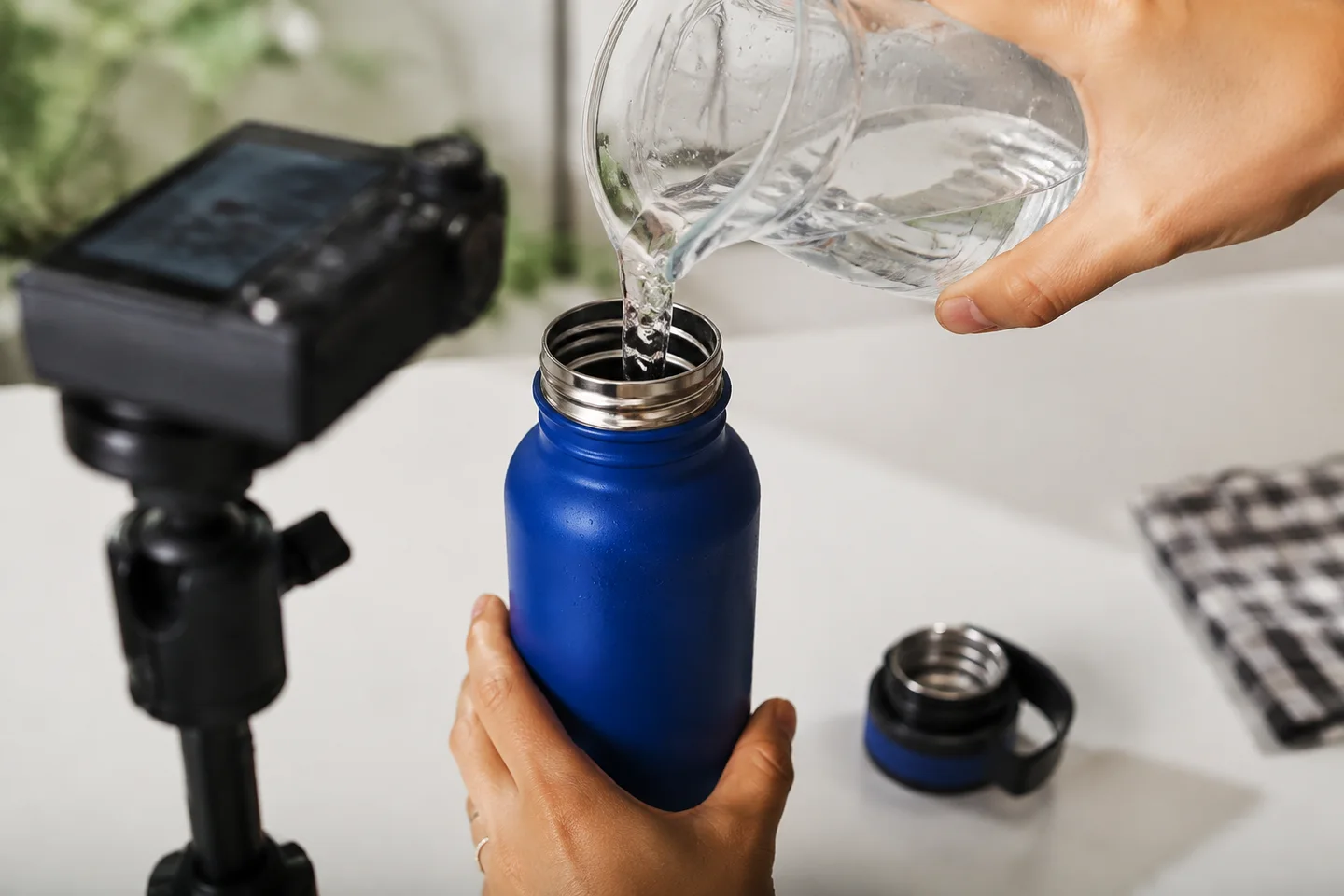
A screen recording is often the clearest way to explain a software task. Prepare realistic sample data, close unrelated tabs and remove notifications. Record one meaningful path from the starting state to the result instead of rapidly visiting every feature in the product.
Design the recording for its final frame. A wide desktop interface shrunk into a 9:16 video can become unreadable. Focus on the relevant area, use controlled pans where needed and check that captions do not cover the button or result being explained. Do not invent a mobile interface just to make the composition fit.
Show the outcome long enough to understand it. If you accelerate a wait or combine several takes, avoid wording that implies an exact real-time performance claim. Record a separate clean master when you expect to reuse the demonstration so platform overlays do not become baked into every future edit.
Format three: narration over useful footage
Voiceover can connect product shots into a coherent explanation. Write the message first, then identify the visual evidence for each sentence. If a sentence has no useful visual partner, reconsider whether it belongs in this short or needs a more suitable format.
For the filter, narration could explain storage, setup and cleaning, with a corresponding shot for each. Do not use unrelated lifestyle footage while making precise claims about the product. Atmosphere can support the story, but it should not replace the detail the viewer came to learn.
Use a voice you are authorized to use and check pronunciation, pacing and captions. A synthetic voice should not impersonate someone or claim a personal experience that did not happen. Music and voice rights are separate from the rights to the footage. Keep a record of permissions when several contributors are involved.
Format four: text-led sequences and carousels
Text-led content is useful for comparisons, checklists and explanations that benefit from a deliberate reading pace. A carousel lets the reader move through the idea; a rendered slideshow decides the timing for them. These are different deliverables, even when they begin with the same images.
Give each frame one job. An opening question can lead to a product detail, a short demonstration and a useful next step. Avoid placing the entire explanation on the first frame and then repeating it. Make the transition between frames logical enough that the sequence still makes sense without background music.
Use actual product images where exact appearance matters. Generated illustrations can support a concept, but should not masquerade as verified product photographs. Check text size on a phone-sized preview and allow enough time for a timed version to be read comfortably. A dense wall of text is not concise merely because it occupies one screen.
Format five: a synthetic presenter or reaction
A synthetic character can introduce an idea or provide a visual reaction without requiring the team to film a presenter. It still needs an accurate script and an appropriate context. The character’s appearance does not supply evidence that anyone used the product or obtained a result.
Keep demonstration and illustration distinct. A generated reaction can frame the frustration of tangled cables; it cannot prove that a specific accessory solved a customer’s problem. If the post depends on product fit, texture or operation, add actual approved material or choose a format that does not imply unverified evidence.
Postraid’s current reaction, meme and carousel workflow should be evaluated on those terms. This article does not promise that Postraid generates custom product-in-hand footage, clones a voice or creates a bespoke presenter from a photograph. Check the actual creation controls and plan access rather than importing capabilities from another tool’s feature list.
Choose shots by the question they answer
Unboxing establishes what is included. An overhead arrangement shows components and scale when accompanied by a clear reference. A close-up shows texture or a control. A point-of-view shot shows the sequence of use. A screen capture shows an interface action. None of these is inherently the highest-converting shot.
A before-and-after comparison needs especially careful treatment. Keep conditions comparable and explain what changed. Do not create synthetic skin improvements, health outcomes or product results and present them as proof. For an ordinary organization example, show the actual rearrangement rather than implying that an accessory performs the work by itself.
Choose a small set of shots with different purposes rather than many similar angles. For the filter, the folded size, opening mechanism and packed result each answer a different question. A decorative slow-motion pour may look appealing, but it is optional unless it clarifies something relevant about the product.
Match the format to the buying question
For software, a focused screen demonstration often provides stronger evidence than a generic smiling avatar. For a physical accessory, handling and scale can matter. For a process or service, a labeled sequence may explain the steps more clearly than a staged office scene.
Beauty and wellness products need the same discipline plus care around claims. A texture demonstration is not proof of an outcome. A supplement package shot is not evidence of efficacy. Use approved substantiated language and seek appropriate review for regulated claims rather than assuming that a faceless presentation avoids those responsibilities.
Fashion may need footage that shows actual fit and movement. Food preparation may need an accurate sequence and applicable safety information. The format should follow what the viewer must understand, not a blanket list assigning one supposedly winning style to every industry. When the important detail cannot be shown accurately, narrow the message.
Build a complete small example
Start with a fictional brief for the portable filter: explain how it packs for a day trip. The audience question is about carrying and setup, not a promise of better-tasting coffee. Confirm the dimensions and instructions from the actual product before including them in the script.
The opening can show the closed case beside the cup with a simple question about packing a brewing kit. Next, show the filter opening and fitting as instructed. Then show the parts returning to the case. End with a relevant invitation to inspect the product details, not an unrelated demand to follow the account.
Record a clean version of each action and review the sequence without sound. Add concise narration or labels only where they improve understanding. Ask someone unfamiliar with the product what the video demonstrates. If they infer that the cup is included when it is not, correct the composition or copy before publishing.
Review clarity, rights and disclosure separately
First check comprehension: can the viewer identify the product and the action? Then check accuracy: does the assembled post imply anything the evidence does not support? Finally check permissions and disclosure. Passing one of these reviews does not mean the other two can be skipped.
TikTok requires labeling for realistic AI-generated images, audio or video in covered circumstances. YouTube’s altered or synthetic content guidance distinguishes meaningful realistic changes from various production-assistance uses. Check the current destination rules for the actual material you made, rather than assuming that every faceless post is exempt or every caption needs an AI label.
Commercial relationships and testimonials raise separate questions. Disclosing AI does not disclose a sponsorship, and disclosing a sponsorship does not make an invented customer experience truthful. The FTC’s reviews and testimonials guidance is a useful US reference; other jurisdictions and platform policies may impose additional obligations.
Compare performance with a fair test
There is no universal rule that faceless content performs better or worse than a filmed presenter. Compare posts with similar topics, objectives and observation windows. A product tutorial and a humorous reaction serve different jobs, so their raw view counts are not a clean test of whether a face matters.
Record what you changed. If the faceless version also has a clearer opening, a shorter script and a different offer, do not attribute the entire difference to the absence of a presenter. Look at comprehension, useful questions, appropriate engagement and the business action you intended to support.
Treat a small test as directional, not conclusive. A single unusually successful post can distort an average. Review several examples and the context around them. The practical goal is to identify a repeatable way to explain your product, not to declare one production style the winner for every future message.
Budget and repeat without losing quality
Compare complete scopes when estimating cost: research, scripting, recording, editing, revisions, rights, exports and publishing. A creator quote may include some of these and exclude others. A software allowance may charge for unsuccessful attempts. There is no reliable universal price comparison without defining the deliverable and usage.
Reuse the setup, brief and approved facts, not an unchanged claim indefinitely. Keep a small library of clean product shots with dates and permissions. Revisit footage when packaging or features change. A recognizable visual system can save preparation time while each post still answers a distinct audience question.
For a recurring schedule, keep an approval owner and a way to pause outdated items. Daily posting is not mandatory. Start with a cadence the team can sustain, verify the live posts and use the questions they produce to plan the next batch. Consistency is useful when the content remains accurate and worth seeing.
A few useful answers.
Can I make useful content without appearing on camera?
Yes. Product handling, screen recordings, narration and text-led sequences can explain many ideas. Choose the format around the evidence the viewer needs. A face-free format does not excuse an unclear message, invented product result or misleading customer claim.
What is the best format for my product?
Start with the question rather than a universal ranking. Show an interface task with a readable recording, a physical mechanism with actual footage, or several considerations with a carousel. If personal experience is central, use accurately attributed experience instead of replacing it with an invented synthetic endorsement.
Does faceless mean no AI disclosure is needed?
No. Faceless describes the framing, while disclosure depends on the material and destination rules. Realistic generated audio or scenes can still require labeling. An ordinary unaltered hands-only recording is a different case. Review AI, sponsorship and testimonial requirements separately.
Is a generated reaction the same as a product demo?
No. A reaction can introduce a situation or illustrate a feeling. A product demo needs to show the product accurately. Use approved product material for precise details, and do not imply that a generated character used the product or achieved a result without a truthful basis.
How should I compare production costs?
Compare the same scope and usage rights, including revisions and review time. Count the cost of reaching an approved deliverable rather than only the first generation. Creator rates and software allowances vary, so a fixed claim that one route is always cheaper would be misleading.